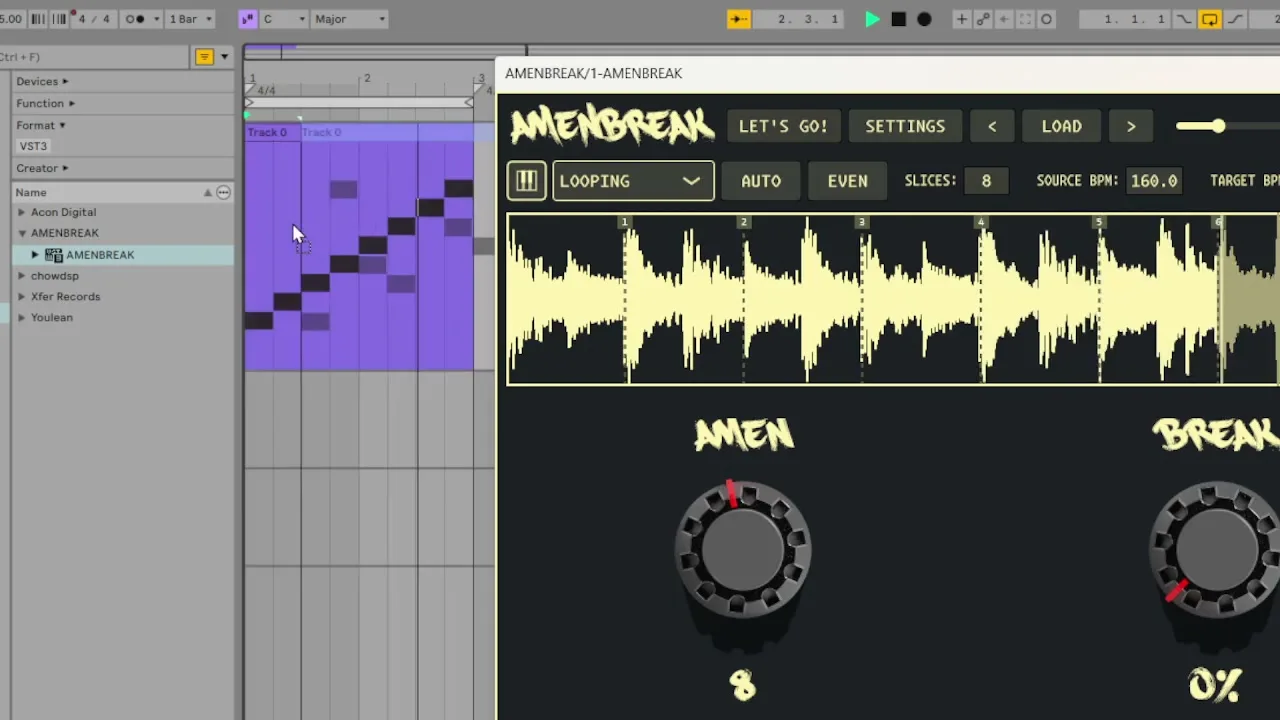
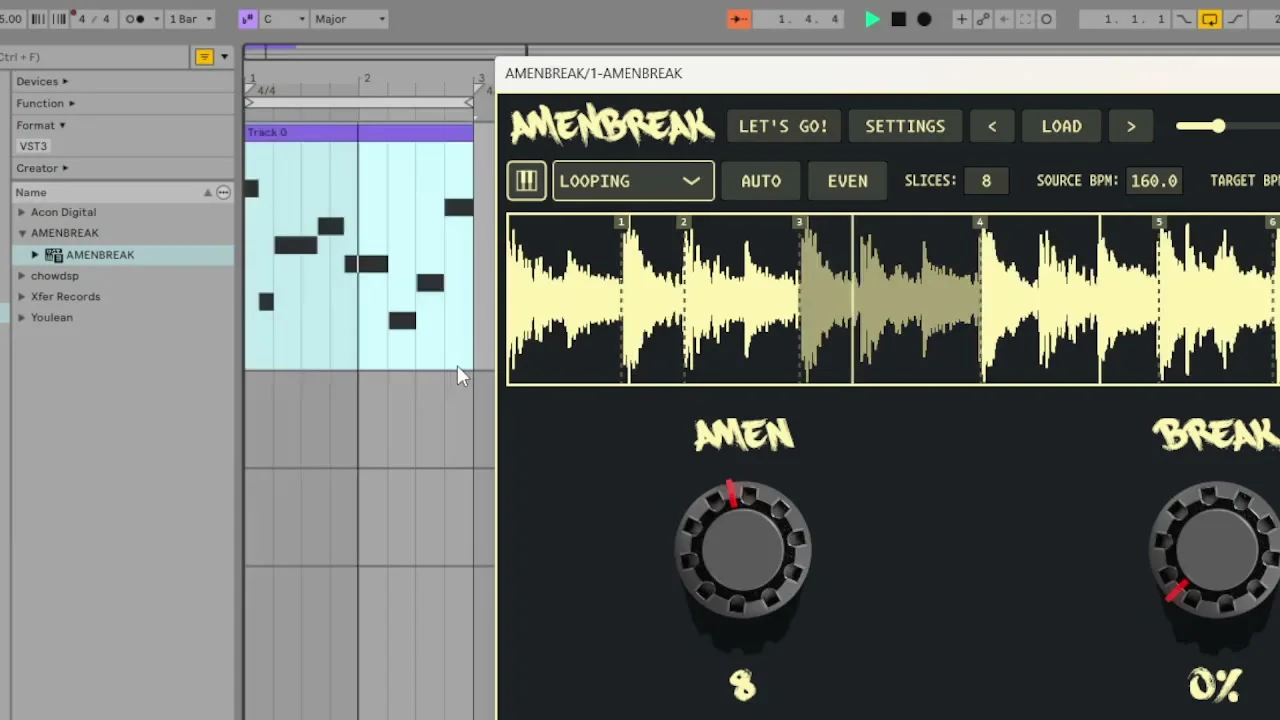
On December 16, 2025, AMENBREAK VST v2.0.0 gained a small feature with a very large consequence: the current sequencer pattern can leave the plugin. Drag the keyboard icon into your DAW and the thing you just improvised becomes a normal MIDI clip.
The one-minute launch demo shows the idea almost faster than it can be explained: play a straight pattern, turn the AMEN knob, hear a new sequence, drag it out, repeat. You can watch the original MIDI drag-and-drop video on YouTube, or play it here:
Why MIDI Drag-Out Matters
AMENBREAK is good at creating patterns faster than I can politely name them. The AMEN knob can move from a straight walk through the slices to a short random phrase, then reroll it into something else. That speed is the fun part—but it creates a classic electronic-music problem: the most exciting version is always the one you forgot to record.
MIDI drag-out is the “keep that one” button. It captures the current sequence order, uses the current slice and timing information, and creates a MIDI file your DAW can place on the timeline. Once it lands, the pattern is no longer temporary. You can loop it, shorten it, move individual notes, duplicate it for a fill, or archive it for another session.
What Gets Exported
The generated clip mirrors the pattern AMENBREAK is currently using. Slice positions determine which region each note triggers. The sequencer step duration determines where the notes land. The source BPM and target BPM help the note lengths reflect the loop’s timing. If no custom pattern is active, the export falls back to a straight slice sequence.
That means the MIDI is a snapshot of the musical state, not a generic eight-note staircase. Change the slice count, switch from EVEN to AUTO slicing, reroll the AMEN pattern, or change step duration—and the next clip tells a different story.
Drag-and-Drop Workflow
- Load a sample, confirm its source tempo, and create slices with AUTO, EVEN, or manual markers.
- Start with STRAIGHT or turn the AMEN knob until the sequencer finds a pattern worth keeping.
- Grab the small keyboard icon near the playback controls. Do not merely click it—drag it out of the plugin window.
- Drop the file onto a MIDI track or arrangement lane in your DAW. The host creates a MIDI region containing the current sequence.
- Route that clip back to AMENBREAK and set DAW SEQUENCING to MIDI ONLY so the dropped notes drive the plugin without the internal transport doubling them.
- Edit, loop, duplicate, or save the clip. Reroll AMENBREAK and drag again whenever you want another variation.
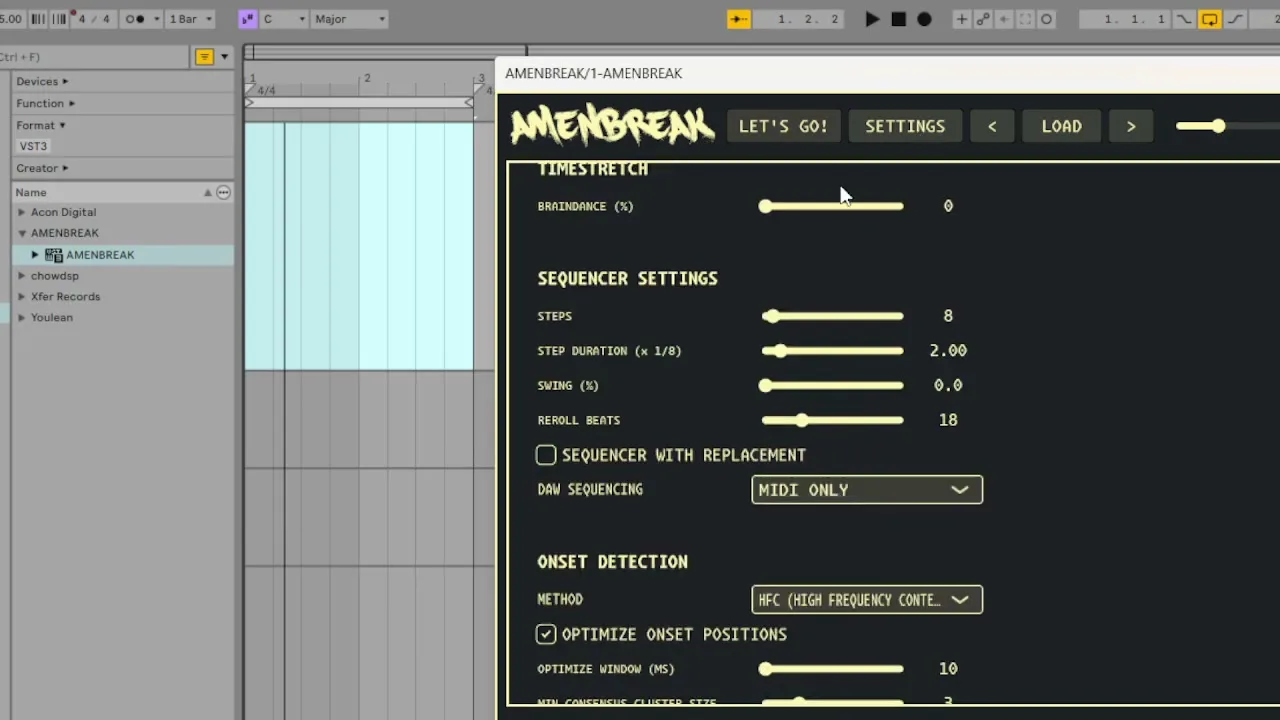
Exporting Pattern Variations
The launch video demonstrates the best use of the feature: make a small family of clips instead of searching for one perfect pattern. Export STRAIGHT as the anchor. Turn AMEN to a compact random sequence and export that. Reroll, listen, and save only the versions that make your shoulders do something involuntary.
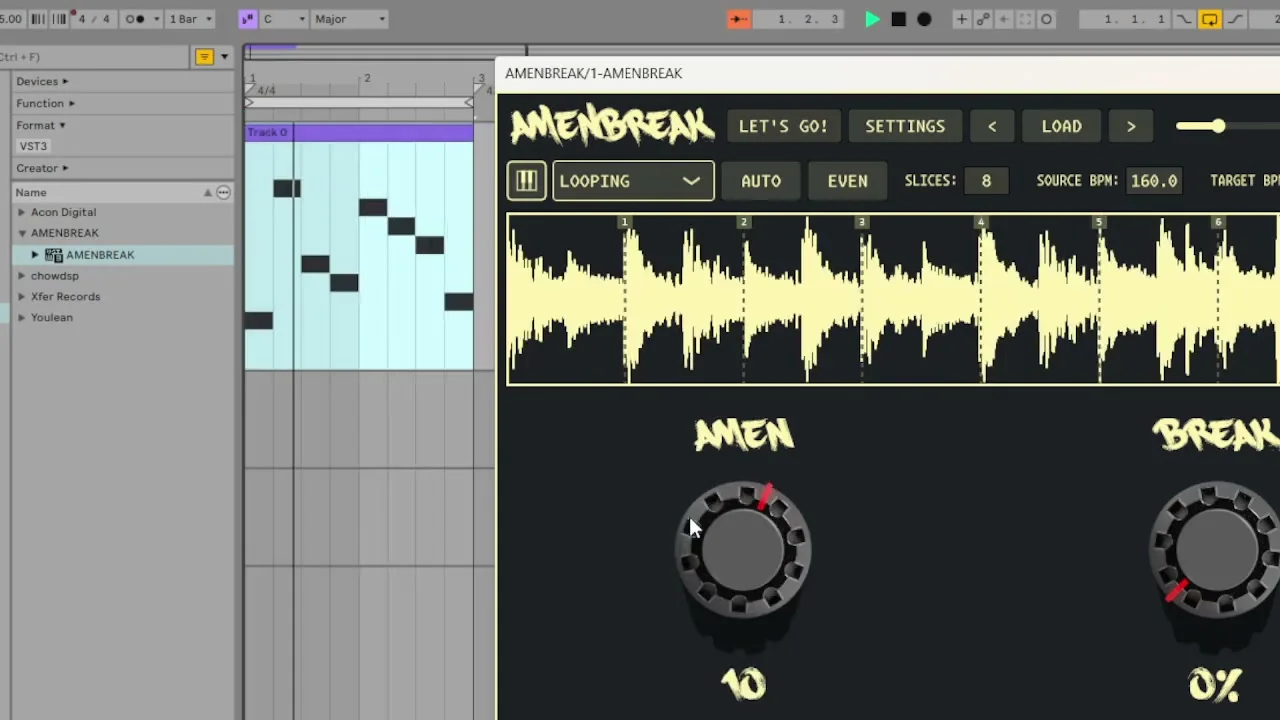
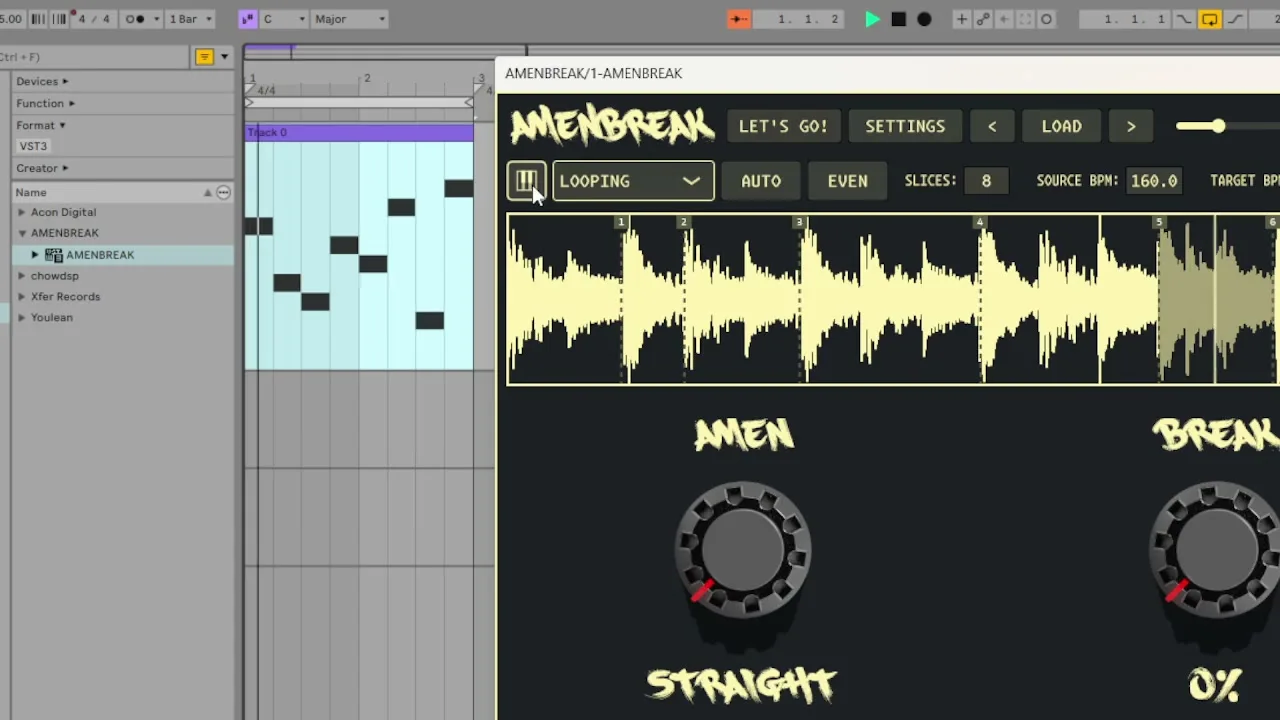
In the arrangement, those clips become vocabulary. Use STRAIGHT for the verse, a seven-step reroll for the turn, and a denser variation for the fill. Because the patterns are MIDI, you can trim a note that arrives too early, repeat the last two steps, or combine the first half of one reroll with the second half of another. Randomness becomes editable instead of disposable.
Using Exported MIDI
Keep STRAIGHT as A, then answer it with a saved AMEN variation.
Crop the wildest two beats from a reroll and place them at phrase endings.
Let AMEN discover the phrase, then move only the one note your arrangement rejects.
Keep a folder or track of useful MIDI patterns without freezing audio.
Reuse the rhythm while AMENBREAK loads another compatible sliced sample.
Let MIDI control slice order while you play BREAK, crossfade, and stutter live.
Troubleshooting MIDI Export
- Make sure a sample is loaded and slices exist before starting the drag.
- Begin the gesture on the keyboard icon itself and drag beyond the plugin window.
- Verify that the source BPM, target BPM, and step duration are sensible if timing looks wrong.
- Check the AMEN position before exporting if the dropped pattern does not match what you heard.
- Remember that DAWs place imported MIDI differently; use a MIDI-capable track or arrangement lane.
For the wider workflow, read how I use AMENBREAK VST from load to controlled chaos. For exact controls, head to the MIDI drag-out docs, slice editing, or the MIDI mapping reference.
Try MIDI Drag-and-Drop
Download AMENBREAK, find a pattern you could not have drawn on purpose, and drag it into the timeline before good judgment returns.