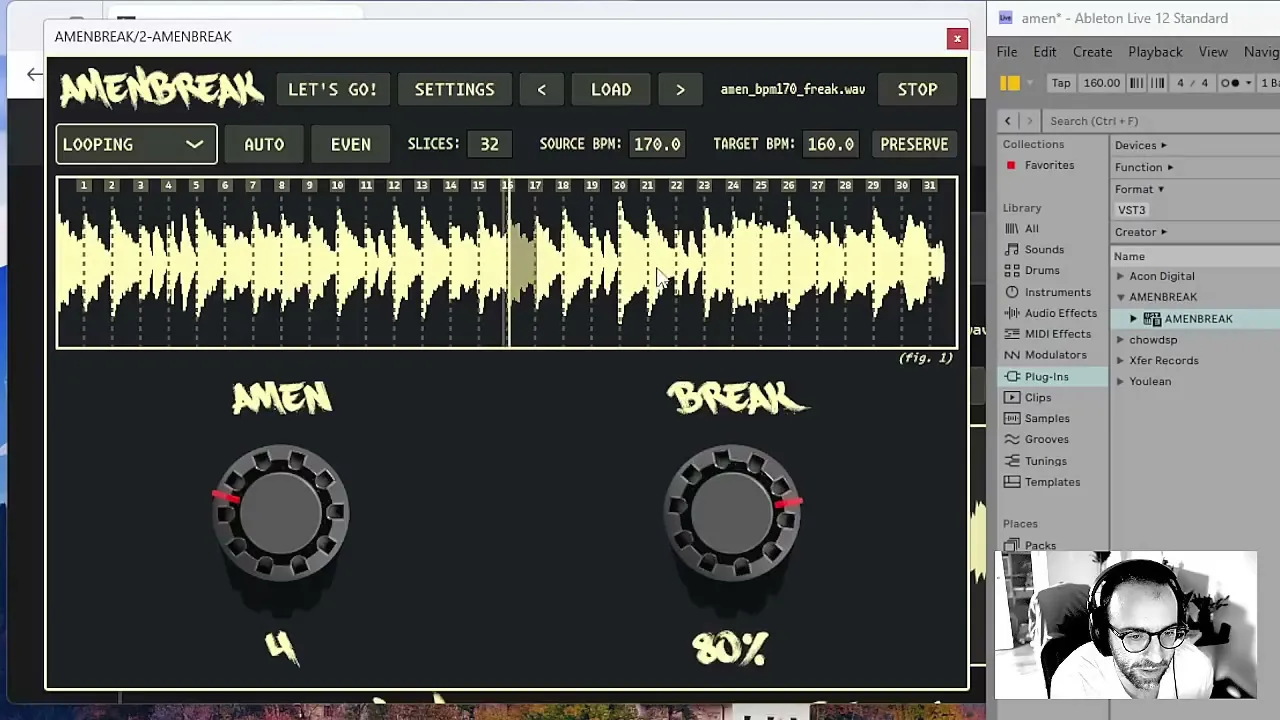
I made AMENBREAK VST because I wanted the fast, playable breakbeat systems I had been building in code and hardware to live directly inside a DAW. The important word is playable. This is not a “set the loop and stare at it” plugin. It wants to be pushed while the music is moving.
In the original tutorial video, I run through the whole instrument in about ten minutes. This post slows that trip down just enough to explain the decisions behind it. If you want the reference manual beside you, keep the complete AMENBREAK documentation open; I will deep-link every control as we hit it.
What AMENBREAK VST Does
At the center, AMENBREAK is a multi-playhead sample slicer. It loads an audio file, divides the waveform into playable regions, locks those slices to the project tempo, and lets a sequencer or MIDI notes fire them. Around that core are performance controls for rearranging slice order and injecting effects. The playheads crossfade as they hand audio to one another, so even aggressive retriggers can stay smooth instead of turning into a click convention.
The idea did not arrive fully formed. I started exploring this family of algorithms in SuperCollider, carried versions through the Monome Norns, and then refined them inside hardware instruments including the Pikocore, Zeptocore, and Ectocore. AMENBREAK VST is that lineage folded into a plugin: the same obsession with slicing and live mutation, now living where the rest of the production already happens.
Quick Setup
I usually begin with a drum break, but this works with percussion, field recordings, bass, textures, or vocals. The fastest route from silence to motion is:
- Load an audio file. AMENBREAK reads the folder too, which becomes useful when we start tunneling later.
- Check the detected source BPM and the DAW-driven target BPM. Correct tempo information is what makes the loop land cleanly on the grid.
- Choose AUTO slicing for transient-aware markers or EVEN slicing for a strict grid. Then set the slice count to match the amount of detail you want.
- Hit START, or start the DAW transport when the plugin is following it. The slices now advance at the selected step duration.
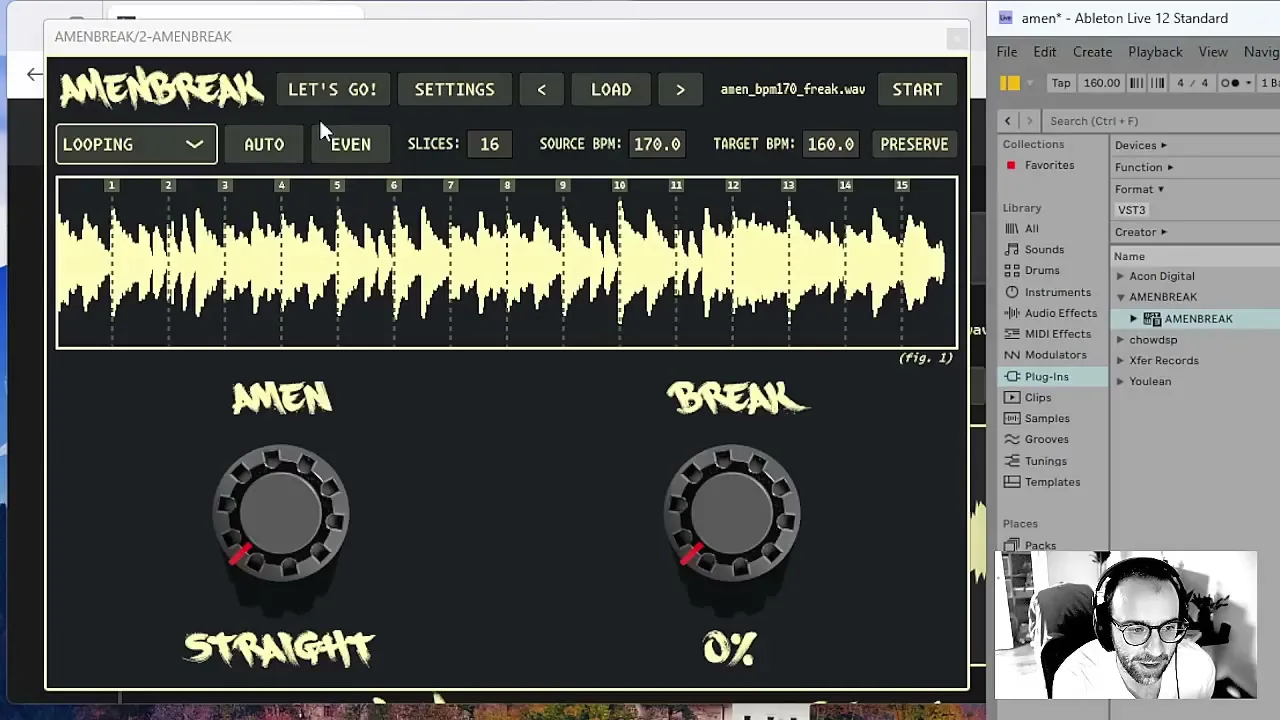
Slice count and step duration are a musical pair. Sixteen broad slices tend to preserve recognizable phrases; thirty-two smaller slices create more rearrangement points and usually want a shorter step. There is no sacred number. Change it while the sequence runs. Slicing is part of the performance, and the waveform is editable if the detector misses the one transient you care about. The slice-editing guide covers adding, deleting, dragging, zooming, and triggering markers directly.
The AMEN and BREAK Knobs
The LET’S GO! screen is the fastest version of AMENBREAK. It gives me two giant decisions and gets everything else out of the way.
The AMEN knob rearranges time
At STRAIGHT, the AMEN knob walks through the slices in order. Turn it and the sequencer uses different-length random patterns. That means I can move from the source groove to a tiny repeating hook, then open it back up without drawing a new MIDI clip. At the far end, RE-ROLL creates a new sequence. I treat this knob like a phrase-length control with a mischievous memory.
The BREAK knob weaponizes probability
The BREAK knob controls how likely it is that the current groove gets interrupted by an enabled effect. Low settings add the occasional twitch. Higher settings turn the arrangement into weather. It is intentionally immediate: I can ride it during a transition, create a burst of damage, and pull it back before the beat loses its identity.
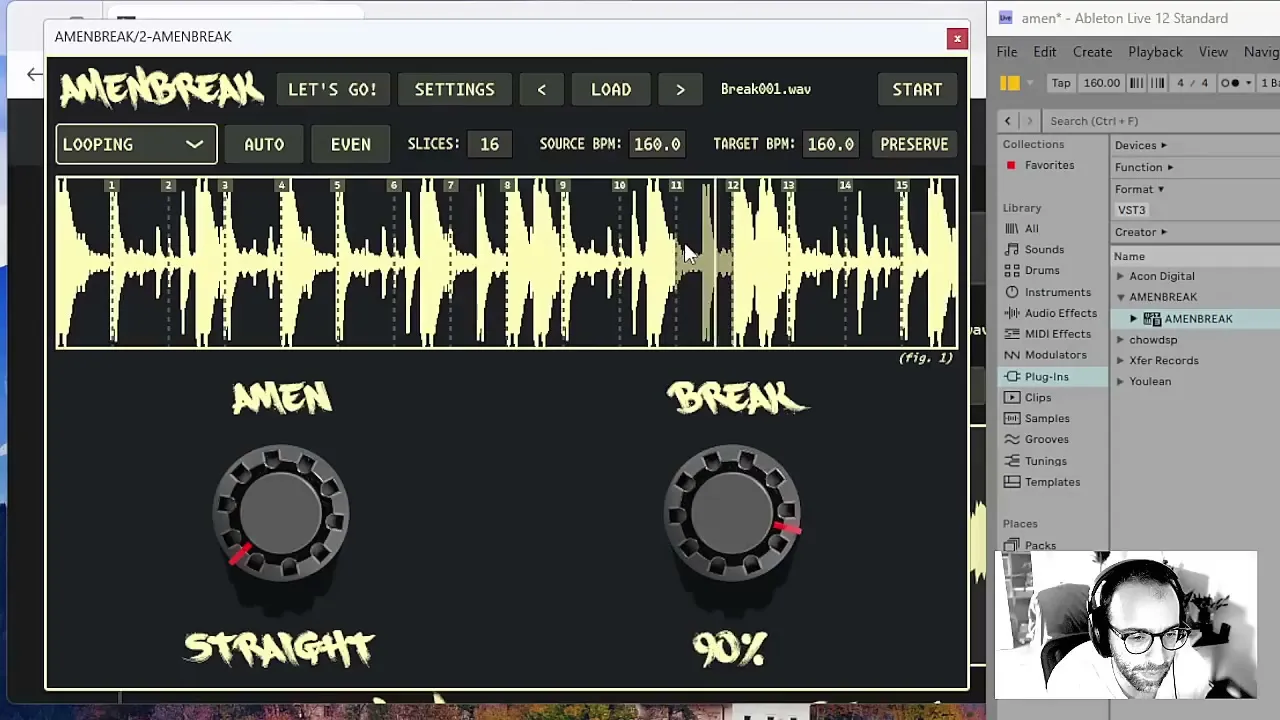
That distinction matters. In BREAK settings, I choose which kinds of interruption are allowed—reverse, stutter, timestretch, tape stop, jump, reroll, braindance, decimation, and tunnel. The knob controls probability; the settings define the universe of possible mistakes. Curate that universe and the chaos stays in the song.
Playback Modes and Crossfades
The playback mode decides what a triggered slice does: loop forward, bounce in ping-pong, play the slice once, or continue through the full sample. LOOPING is great for locking onto texture. PINGPONG is instantly more elastic because every boundary flips direction. The one-shot modes are useful when MIDI or the sequencer should provide all the rhythm.
Here is the quiet trick underneath the loud behavior: the XFADE control. When a slice retriggers or a loop turns around, AMENBREAK brings in a new playhead while the old one fades away. Short fades keep transients crisp. Longer fades smear adjacent moments together and can become a rhythmic effect of their own. I often adjust XFADE while a random AMEN pattern is playing; it changes the same sequence from chopped to liquid without changing a note.
Playhead Effects
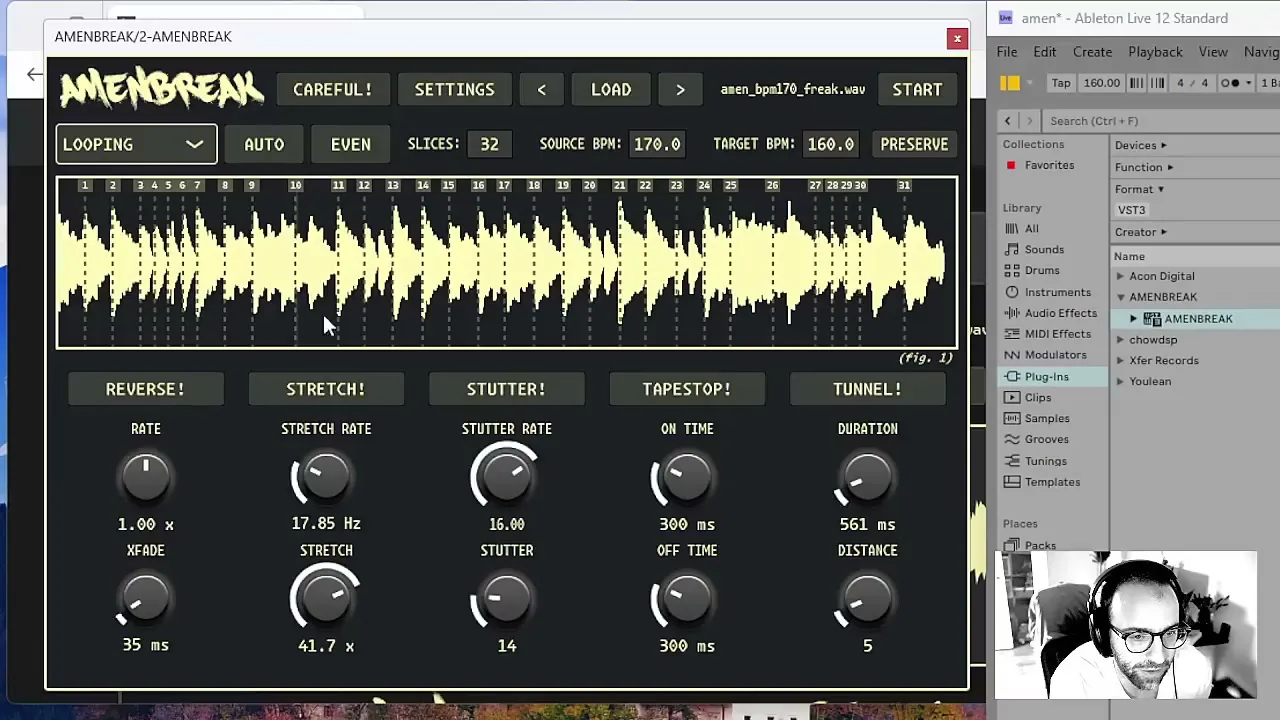
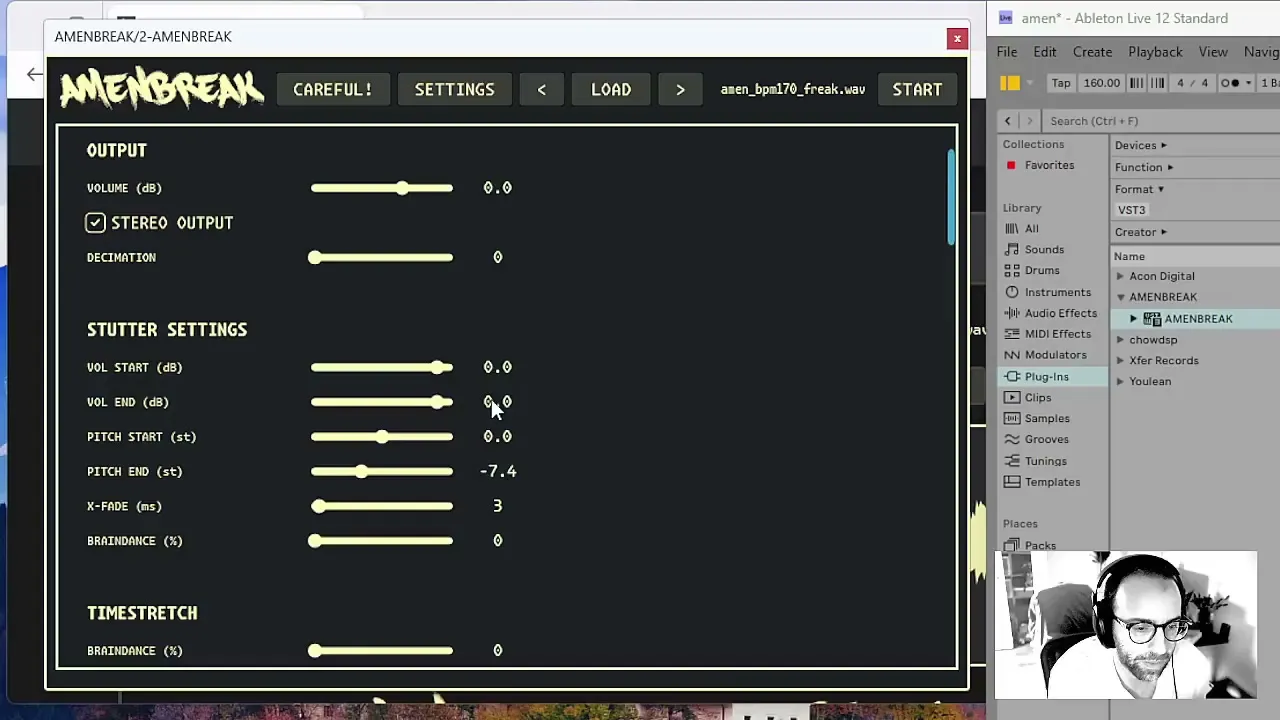
Switching to CAREFUL! mode exposes the individual effect engines. Each can be triggered directly, mapped, or allowed to appear through the BREAK system.
Flip direction and vary playback rate. Simple, reliable, always useful.
Use playhead motion to turn a slice into a granular buzz, hover, or rip.
Repeat a captured moment, then shape repetition count, rate, pitch, and level.
Ramp playback down or back up for transitions that feel physical.
Jump to another audio file in the folder while keeping the relative slice position.
Add jumps, rerolls, braindance, and decimation to the probability pool.
Stutter becomes especially expressive in the settings panel. A repetition can move from one volume to another and from one pitch to another, so the gesture evolves instead of machine-gunning the same fragment. Add braindance variation and the stutter can pan or mutate as it repeats. I like to start with a readable rhythm, pitch the repetitions upward, and then change the stutter rate by hand.
Pitch Preservation
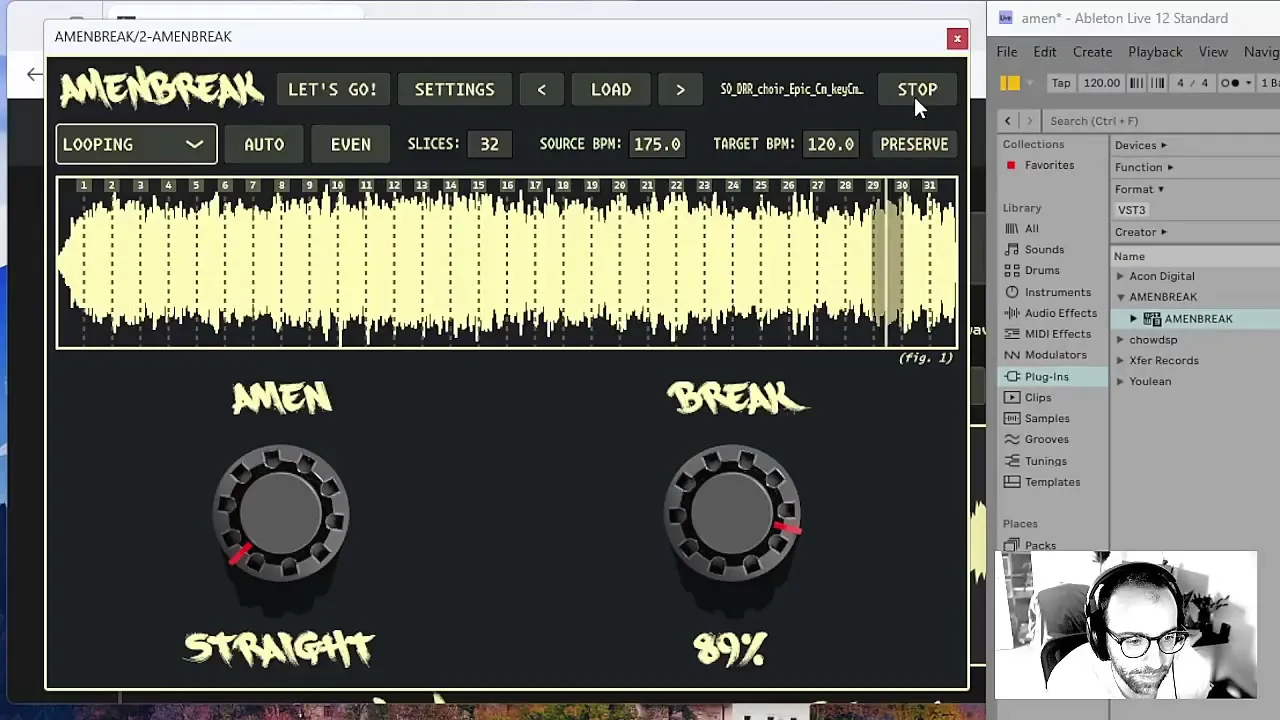
Traditional rate changes tie tempo and pitch together. Speed the sample up and it gets brighter; slow it down and it drops. That behavior is often exactly right for drums. It is much less helpful when the source is a vocal, melodic phrase, or tuned texture.
Turn on PRESERVE and AMENBREAK prepares a pitch-preserved version of the audio for the target tempo. Now the DAW can move faster or slower without dragging the voice to a new key. Processing takes a little longer when the file loads, but it opens a completely different workflow: reduce the step duration, loop tiny vocal slices, and AMENBREAK starts behaving like a tempo-locked granular instrument.
MIDI and DAW Control
The internal sequencer is fast for discovery, but AMENBREAK also belongs in a larger arrangement. DAW transport can start and stop it, the target tempo follows the host, and MIDI notes can trigger slices directly. Nearly every performance control can learn a MIDI CC, so the knobs, toggles, slice count, and effects can move from real hardware instead of a mouse. Start with the MIDI mapping reference, or use the dedicated complete MIDI parameter chart when building a controller setup.
If I discover a sequence I want to arrange precisely, I use MIDI drag-out. The generated clip mirrors the current AMEN pattern, lands in the DAW piano roll, and becomes ordinary editable MIDI. That is the bridge between improvisation and composition: find the impossible little pattern by playing, then pin it down only if the track needs it.
A Simple Workflow
- Start STRAIGHT with BREAK at zero. Make sure the unprocessed loop is genuinely in time.
- Choose AUTO for human transients or EVEN for grid-based mutation. Try 16 slices, then 32.
- Turn AMEN until a short phrase appears. Let it repeat long enough to become a hook.
- Adjust XFADE. Keep it short for drums; lengthen it when you want the pattern to melt.
- Enable only two or three BREAK effects. Raise probability for a transition, then pull it back.
- Capture the keeper as MIDI, map the dramatic controls, and perform the final movement.
The key is contrast. If everything is randomized all the time, nothing feels surprising. I keep a recognizable loop nearby, introduce one unstable dimension, and use BREAK like punctuation. The plugin can get extremely complicated; the musical move is deciding when it should not.
Related Documentation
Try AMENBREAK VST
Download AMENBREAK VST and try the workflow with your own loops, or buy a license to support continued development and unlock the full instrument.