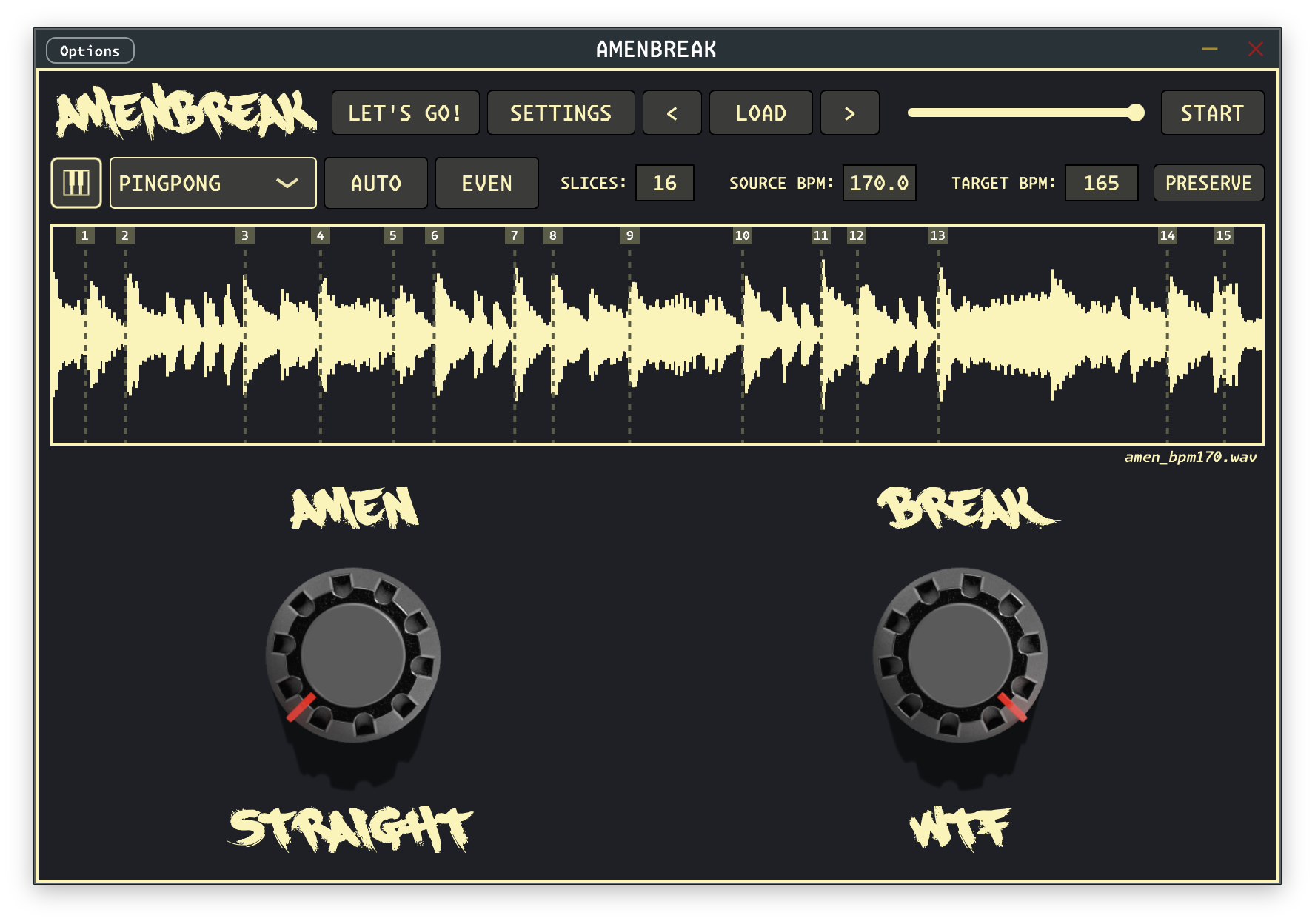
I reviewed recurring AMENBREAK support conversations to write this guide. Every case below is combined and anonymized. No customer names, email addresses, license keys, order details, or private files are included.
The fastest troubleshooting move is not reinstalling everything at random. It is separating the problem into four questions: does the standalone app run, can the DAW discover the plug-in, can the license activate, and does a clean project play a known audio file correctly? That sequence has solved a surprising amount of support mail.
Start Here
- Update first. Install the newest build from the official downloads and check the changelog. Several reported problems disappeared immediately after updating.
- Test the standalone app. Load a normal WAV file and press play. If standalone works, the core audio engine is probably fine and the problem is likely plug-in discovery, DAW routing, or host-specific behavior.
- Test a clean project. Use one AMENBREAK instance, one known loop, no effects, and a conservative monitor level. Old projects can preserve settings that hide the real cause.
- Write down the environment. Note the operating system, Intel or Apple Silicon, VST3 or AU, DAW and version, AMENBREAK version, audio sample rate, and buffer size.
Plug-in Not Found
If standalone works but AMENBREAK does not appear in the DAW, activation is not the first problem. The host has not discovered or accepted the plug-in yet. Use the installer from the downloads page when one is available; it removes most folder ambiguity.
For a manual installation, copy the complete plug-in bundle—not its internal Contents folder:
- macOS VST3:
~/Library/Audio/Plug-Ins/VST3/or/Library/Audio/Plug-Ins/VST3/ - macOS Audio Unit:
~/Library/Audio/Plug-Ins/Components/or/Library/Audio/Plug-Ins/Components/ - Windows VST3:
C:\Program Files\Common Files\VST3\ - Linux VST3:
~/.vst3/or/usr/lib/vst3/
Then enable the host's VST3 system folders, run a full plug-in rescan, and restart the DAW. The exact walkthroughs are in the installation guide, including dedicated steps for Ableton Live and Logic Pro.
xattr -dr com.apple.quarantine ~/Library/Audio/Plug-Ins/VST3/AMENBREAK.vst3
xattr -dr com.apple.quarantine /Library/Audio/Plug-Ins/VST3/AMENBREAK.vst3
On Apple Silicon, use the Apple Silicon build and avoid forcing Rosetta unless the download notes
explicitly require it. In FL Studio, enable VST3 scanning and copy AMENBREAK.vst3 as
one bundle. In Ableton, make sure “Use VST3 Plug-In System Folders” is enabled.
Activation Problems
“Validation failed: No response from server (status 0)” usually means AMENBREAK could not complete its HTTPS validation request. It does not automatically mean the key is wrong. Check the network, firewall, security software, and system clock, then retry the exact pasted key. Read the normal flow in License Activation.
If the machine is offline, a security tool blocks the request, or Linux has a libcurl compatibility
problem, contact support for a local license.json file. Do not make one yourself and
never post your key publicly. When support supplies the file, keep the filename exactly
license.json and place it here:
- macOS:
~/Library/Application Support/AMENBREAK/ - Windows:
%APPDATA%\AMENBREAK\ - Linux:
~/.config/AMENBREAK/
A copied key is safer than a typed key. Older keys could contain visually confusing zeroes and letter O characters. If a key remains rejected, send the purchase email and approximate date to support; do not send payment-card information.
No Sound or Low Volume
If the waveform and playheads move but the output is silent, open Settings and put the master VOLUME at 0 dB. An older stutter bug could reduce the global level; that behavior was fixed, so updating is especially important when an old project opens very quiet. The full control is listed in the MIDI and parameter reference.
When keyboard slices stop as soon as another key is released, choose Settings → MIDI MODE → NOTE ON ONLY. The default note-off behavior is useful for gated playing, but NOTE ON ONLY is usually better for one-shot chops. See the MIDI guide for the complete mapping.
In Logic Pro, AMENBREAK lives on an instrument/MIDI track. To print the sound, route its output to a bus and record that bus onto a separate audio track. Recording MIDI on the instrument track does not create an audio waveform by itself.
Bitwig Setup
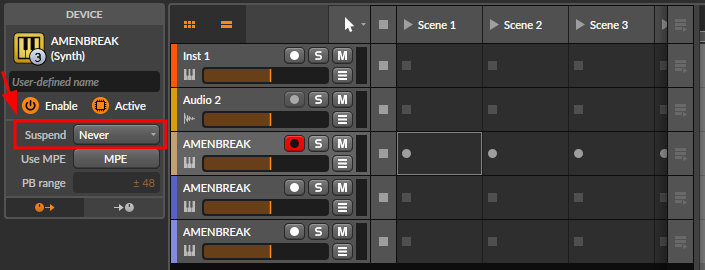
If Bitwig only plays AMENBREAK after you click the track, double-click the track header and change Suspend to Never. This keeps the plug-in awake when Bitwig would otherwise suspend it. The same fix is documented in the Bitwig troubleshooting section.
Bitwig-specific modulation and saved-instance problems have also been fixed across several releases. Before rebuilding a project, update AMENBREAK and reproduce the behavior with two fresh instances. If an old session still behaves differently, bounce important parts to audio before experimenting with repairs.
Timing and Slice Clicks
The SOURCE BPM must describe the actual file. If it is wrong, AMENBREAK will intentionally speed up, slow down, or pitch-preserve the wrong ratio. With PRESERVE off, tempo correction changes speed and pitch together. With PRESERVE on, it changes duration while trying to retain pitch. To apply no BPM correction, set SOURCE BPM equal to TARGET BPM.
If the first transient sounds late or softened, inspect the first marker in Manipulating Slices and check XFADE. A long crossfade can fade across the very attack you are trying to preserve. Start small, then increase it only enough to remove clicks.
Sustained or imperfectly trimmed material can click in a looping slice mode because one slice wraps and the sequencer immediately jumps again. Try Oneshot Slice or Oneshot Sample with a short crossfade, or trim the loop to a sample-accurate musical length. Compare the modes in Playback Modes.
If exported MIDI sounds doubled or jumbled, route the clip back to AMENBREAK and set DAW TRANSPORT to MIDI ONLY. Otherwise the internal sequencer and the imported notes may both trigger slices. The full setup is in the MIDI Drag-out guide.
Licenses and Samples
One AMENBREAK license can be used on multiple computers; there is no deactivation step when moving to a new machine. If the original email is missing, search spam and every address you may have used at checkout. Support can usually locate it from the purchase email, approximate date, and order or receipt number.
AMENBREAK does not include a commercial break library or a preset beats folder. Load your own WAV, AIFF, FLAC, MP3, OGG, OP-1, or Renoise files as described under Loading Files. This keeps the plug-in small and avoids quietly redistributing somebody else's sample collection.
What Support Needs
If the problem survives this guide, send one message with:
- Operating system and version, plus Intel, Apple Silicon, or PC architecture
- Standalone, VST3, or AU and the AMENBREAK version shown in Settings
- DAW name and exact version
- The exact error message and whether standalone works
- Steps that reproduce the problem in a clean project
- Audio sample rate, buffer size, SOURCE BPM, and TARGET BPM for timing or noise problems
- A screenshot or short video; include the sample or project only when it is safe to share
That information turns “it broke” into a testable case. Send it through email support, read the support docs, or ask the community in Discord.
Quick Answers
Why does AMENBREAK not appear in my DAW?
Use the correct VST3 or AU build, copy the complete bundle into a standard plug-in folder, enable that folder in the DAW, then run a full rescan. Test standalone first to separate installation from audio-engine problems.
What does validation status 0 mean?
AMENBREAK could not complete its validation request. Check networking and security software. For an
offline or incompatible system, contact support for a local license.json file.
Can I use my license on a new computer?
Yes. The same license works on multiple computers and does not need to be deactivated first.
Why is AMENBREAK silent?
Set the master volume to 0 dB, update the plug-in, check the DAW's instrument routing, and try a clean project with a known WAV file.
Why do slices click or miss the transient?
Verify SOURCE BPM and slice-marker placement, shorten XFADE, and try Oneshot Slice or Oneshot Sample when the source is not trimmed to an exact musical length.
Still Stuck?
Update first, run the four-part test, then send the exact environment and reproduction steps. Useful details are the fastest route from mystery to fix.